1. Different Tools for Different Research Philosophies
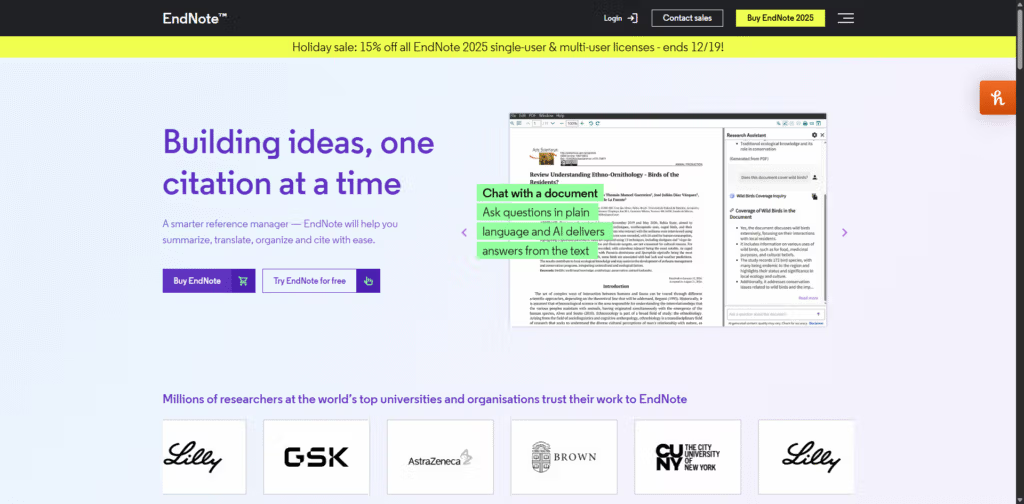
The choice between EndNote and Zotero is less about “which is better” and more about which ecosystem fits the kind of researcher you are and the kind of project you’re running. EndNote, Zotero, and even tools like Mendeley each embody different “research philosophies.”
- EndNote is designed around structured, long‑term, high‑stakes projects—theses, dissertations, monographs, and multi‑year grants.
- Zotero is built for flexible, web‑native, highly exploratory research workflows—perfect for fast source capture, smaller projects, and early‑stage academic work.
For a PhD student, the key question is not “Which tool is objectively superior?” but “Which tool matches the scale, complexity, and funding reality of my PhD?”
2. Cost & Access: Free vs. Premium
Zotero is completely free and open source, which is one reason it’s so popular among students and independent researchers. It’s ideal if:
- You’re early in your PhD and still testing tools.
- Your funding is tight or non‑existent.
- Your university does not provide a free EndNote license.
EndNote, by contrast, positions itself as a premium, enterprise‑grade solution, and is often adopted by well‑funded labs, universities, and research teams. Many institutions in Europe, Asia, and the Americas already standardise on EndNote and provide licenses to students and staff at no extra cost. If your university does this, the cost argument essentially disappears—and EndNote becomes very attractive for a PhD‑length project.
A practical rule of thumb: if you’re only writing a few essays or small projects per year, free tools like Zotero are usually enough; if you’re planning a thesis, dissertation, or long‑term research career, EndNote is usually worth the investment when available.
3. Library Size & Performance for PhD‑Scale Work
For PhD students, the size of your reference library is a decisive factor.
- When your library contains only a few dozen or a couple hundred references, free tools like Zotero are fantastic, cost‑effective solutions.
- The problems start when your library grows into the hundreds or thousands of references—very common in humanities theses and systematic reviews in medicine, psychology, or social sciences.
At that scale:
- Free tools can become sluggish and their organizational structures may struggle under the weight of very large libraries.
- EndNote, built as a database first, is engineered to handle this volume more gracefully and reliably.
Smart automation also matters. EndNote’s Smart Groups, which auto‑populate based on search criteria such as “Keywords contains ‘neural plasticity’ AND Year > 2015”, can keep a huge library dynamically organised without constant manual sorting—something especially valuable when you’re tracking multiple sub‑topics or chapters across years of reading.
For a typical PhD with 1,000+ sources, EndNote’s robustness and automation start to make a noticeable difference in day‑to‑day productivity.
4. Writing Integration: Where EndNote Pulls Ahead
Both EndNote and Zotero integrate with Word and other word processors, but they do so with different levels of depth.
Zotero’s Word plugin works and is adequate for many students. However, EndNote’s “Cite While You Write” is described as being engineered to a different, more enterprise‑grade standard, with integration that feels almost native to Word. For a doctoral candidate constantly revising chapters, changing citation styles, and managing hundreds of references within a single document, that difference becomes significant.
EndNote’s integration is particularly valuable when:
- You frequently switch citation styles (e.g., journal submissions with different style requirements).
- You maintain multiple large documents (articles, thesis chapters, grant proposals) linked to the same library.
- You need extremely reliable formatting for formal submission (thesis office, high‑impact journals).
Zotero is more than sufficient for smaller essays or term papers; EndNote shines in high‑stakes, heavily formatted, long‑form writing typical of late‑stage PhDs.
5. Workflow Focus: Capture vs. Command
The tools are optimized for different stages of the research lifecycle.
- Zotero emphasises:
- Fast, frictionless web capture.
- Browser‑based workflows.
- Simplicity and low setup overhead.
This makes it ideal for quickly gathering sources during literature exploration, seminar papers, or interdisciplinary browsing.
- EndNote emphasises:
- Deep control over large, complex libraries.
- Structured, long‑term management of citations and PDFs.
- Tight integration with formal writing and publication workflows.
In other words, Zotero excels when you’re discovering and collecting; EndNote excels when you’re commanding and curating a vast literature over years.
6. Collaboration, Support & Institutional Context
For a PhD student, your environment and support network matter as much as the software.
- Zotero has strong community support via forums and documentation, but help is volunteer‑driven and community‑based.
- EndNote offers professional support, which can be a lifeline when your entire thesis depends on a working citation library—especially if your university funds and supports it centrally.
The narrative isn’t that Zotero is inferior; rather, for graduate students writing seminar papers or doing quick, interdisciplinary source gathering, Zotero’s simplicity and cost (free) are perfect. But when the scope scales up—monographs, grant proposals, multi‑year projects—EndNote’s robust architecture, deep integration, and funded support become increasingly compelling.
7. When EndNote Is Usually the Better Choice for PhDs
Based on the reference material, EndNote becomes particularly attractive if:
- You are doing a thesis, dissertation, or systematic review requiring hundreds or thousands of sources.
- You need robust PDF management, cross‑device sync, and automatic formatting tuned for long‑term academic projects.
- You expect to continue on a long‑term research career and want a durable, scalable system.
- Your university standardises on EndNote and provides licenses plus support.
EndNote is described as being particularly suited for thesis writing, systematic reviews, and long‑term academic projects, offering advantages over free tools like Zotero in automation, synchronization, and PDF handling.
8. When Zotero Is Usually the Better Choice for PhDs
Even in 2026, Zotero remains a strong option in these scenarios:
- You are in the early years of your PhD and your library is still modest.
- You are unfunded or lightly funded and need a free solution.
- Your research emphasizes fast web capture, dispersed sources, and experimentation across topics.
- Your institution does not provide EndNote and you don’t want to purchase a premium tool.
The references suggest that for a graduate student writing seminar papers or working more informally across disciplines, Zotero’s ease and cost make it an excellent match.
9. Migration & Future‑Proofing Your Choice
One important reassurance for PhD students: the choice is not irreversible.
If you start in Zotero and later decide you want EndNote’s power as your project grows, moving from another reference manager into EndNote is straightforward. From Zotero or Mendeley, you can:
- Export your library as RIS, BibTeX, or EndNote XML, and
- Import it into EndNote with minimal friction.
The reverse (from EndNote to Zotero) is also possible using standard formats, though the references specifically emphasise the path into EndNote.
Some authors even describe spending a weekend migrating an old and chaotic setup—including a neglected Zotero account—into EndNote as one of their best productivity decisions, turning disorganized PDFs and references into a coherent, searchable system.
Practical Recommendation for PhD Students in 2026
Putting it all together for a PhD context:
- If you’re early‑stage, under‑funded, and exploring topics
→ Start with Zotero. It’s free, fast for web capture, and perfect for seminar papers and early literature reviews. - If you’re mid‑ to late‑stage, library >500–1000 items, and/or your uni provides EndNote
→ Use EndNote as your primary engine. It’s built as an enterprise‑grade citation manager with better performance on very large libraries, more powerful automation (Smart Groups), and tighter “Cite While You Write” integration for high‑stakes thesis and publication work. - If you expect a long academic career
→ Investing time to learn EndNote and possibly migrate your existing Zotero library can pay off significantly in productivity and reliability for large‑scale projects.
In short: Zotero is an excellent on‑ramp to academic research; EndNote is engineered for the sustained, high‑volume citation demands that define much of a PhD and beyond.