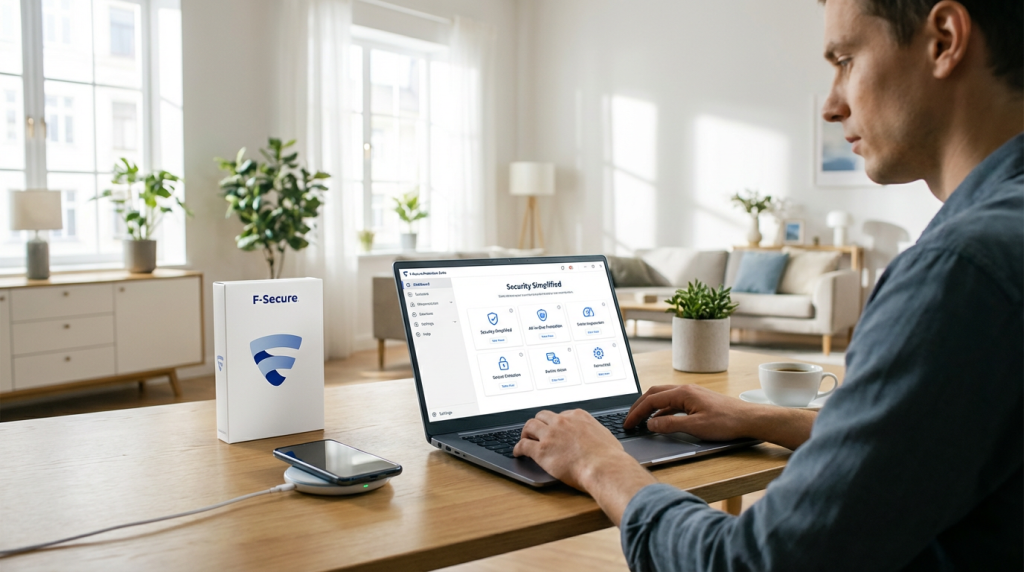

What Is F‑Secure’s Protection Suite in 2026–2026?
If you just want one reliable, lightweight security suite that doesn’t feel like a cockpit, F‑Secure’s 2026–2026 lineup is exactly that: focused, privacy‑friendly, and mostly free of bloat.
F‑Secure’s product lineup explained (Total, Internet Security, SAFE)
As of 2026–2026, the consumer lineup is basically this:
- F‑Secure Total – the full protection suite and the one worth caring about:
- Real‑time antivirus and ransomware protection
- Built‑in VPN (the old Freedome VPN is now integrated)
- Identity monitoring and dark web alerts
- Browsing and banking protection
- Password vault and parental controls (on supported platforms)
- F‑Secure Internet Security – a cut‑down version:
- Core antivirus + web protection only
- No VPN, no identity monitoring, no password manager
- Suitable if you only want basic malware and browsing security
- F‑Secure SAFE (legacy):
- The older consumer suite that Total effectively replaces
- Still supported on existing subscriptions but not the future of the product line
- If you’re on SAFE, you’re essentially being funneled toward F‑Secure Total
If you’re coming in fresh in 2026, F‑Secure Total is the main product you should evaluate. The rest are either basic or legacy.
After the WithSecure split: one clear consumer suite
A few years back, F‑Secure split its business:
- WithSecure → business/enterprise security
- F‑Secure → home and consumer protection
That split actually helped clean things up. Instead of juggling multiple overlapping brands and tools, the consumer side is now centered around one unified protection suite:
- One installer
- One dashboard
- One subscription that covers Windows, macOS, Android, and iOS
From a user point of view, it’s finally what it should have been all along: “I pay once, I protect all my stuff.”
Core components at a glance
In the 2026–2026 version, F‑Secure Total bundles these core layers:
- Antivirus & real‑time protection
Blocks malware, ransomware, spyware, and zero‑day threats using signatures, behavior‑based detection, and cloud lookups. - VPN (Freedome replacement)
Encrypts your traffic on public Wi‑Fi, hides your IP, and helps bypass local restrictions while sticking to a strict no‑logs policy in the EU. - Identity monitoring & dark web alerts
Watches for your email addresses and other personal data in known data breaches and the dark web, then alerts you and suggests fixes. - Browsing & banking protection
Browser‑level protection against phishing, fake login pages, tech‑support scams, and malicious downloads, plus a hardened mode for online banking and payments. - Password vault (in Total)
Encrypted password manager with autofill, strong password generation, and cross‑device sync under your master password.
This covers the core of what most people realistically need: malware protection, safe browsing, privacy on bad Wi‑Fi, and help when your data leaks.
Who F‑Secure Total is really built for in 2026–2026
F‑Secure’s protection suite targets people who:
- Want strong protection without bloat and nagging pop‑ups
- Care about privacy and like that F‑Secure is an EU‑based Nordic company with strict data laws
- Run a mix of Windows 11, macOS Sonoma, Android, and iOS devices at home
- Prefer a simple, minimal dashboard instead of 20 overlapping “optimization” tools
- Are light to moderate gamers or power users who still want low system impact antivirus
It’s not aimed at people who want an “all‑in‑one lifestyle bundle” with cloud backup, VPN streaming unblocking guarantees, identity insurance, and a dozen extras. Think of F‑Secure Total as a privacy‑first, no‑nonsense security suite: lean, clear, and built for real‑world use rather than marketing screenshots.
How F‑Secure Simplifies Cybersecurity for Normal Users
Most security suites in 2026 feel like cockpit dashboards:
too many modules, too many pop‑ups, and constant “recommended” add‑ons. For a normal user juggling work, bills, and maybe trying to grow a side hustle or social channels, that’s noise, not security.
F‑Secure Total takes the opposite route: “less is more.”
Why other suites feel overwhelming
Typical suites overload you with:
- Separate apps for antivirus, VPN, passwords, cleanup, backup
- Confusing security scores and red warnings for non‑issues
- Constant upsell banners and “optimize now” buttons
- Settings pages that look like airplane control panels
You end up ignoring alerts completely or turning half the features off.
F‑Secure’s “less is more” design
F‑Secure leans on three ideas:
- One main app, one view – antivirus, VPN, identity monitoring, and family rules all live in a single, clean interface.
- Plain language – “Your device is protected” / “Action needed: restart to finish protection” instead of vague “threat levels.”
- No gimmicks – no junk cleaners, driver updaters, or random extras that slow your system.
The end result: you get proper protection without feeling like you’re managing a security command center.
Simple dashboard, quiet alerts, smart defaults
The F‑Secure dashboard gives you three quick checks:
- Device protection status
- VPN status
- Identity / breach alerts
If anything’s wrong, it’s obvious, and the app tells you exactly what to do in one or two steps.
Alerts only appear when:
- A file, website, or app is actually blocked
- A restart is needed after an update
- Your data shows up in a known breach
No “you’re at 79/100 security, click to fix” nonsense.
What you really manage day to day
For most people, daily “management” is basically:
- Make sure protection is ON (the app shows green)
- Turn VPN ON when using public Wi‑Fi or traveling
- Glance at breach alerts in the identity section and update passwords if needed
Everything else runs auto‑pilot:
- Real‑time antivirus scans in the background
- Browsing and banking protection in your browser
- Cloud updates and new threat rules pushed silently
You can safely ignore:
- Deep security settings (left at defaults)
- Manual full scans (only needed occasionally)
- Extra tweaking of firewall rules
If you’re focused on building your online presence or side business, that simplicity matters. You can spend your time optimizing posts or content strategy instead of digging through antivirus menus—very different from the cluttered experience you get with many “all‑in‑one” tools.
In short, F‑Secure Total is built so a normal user can install it once, check the main screen in a few seconds, then forget about it until it actually needs your attention.
Deep Dive into F‑Secure’s Core Protection Engine
How F‑Secure antivirus detects threats in real time
F‑Secure Total in 2026 runs a real-time protection engine that watches everything important on your system: files, processes, web traffic, and apps. It scans:
- Every file you open, download, or install
- Scripts and macros (Office docs, PDFs, etc.)
- Browser traffic and downloads in Chrome, Edge, Firefox, Safari
The goal is simple: block malware, ransomware, and phishing the moment they appear, not after damage is done.
Behavioral analysis vs old-school virus signatures
Like every serious antivirus, F‑Secure still uses signatures (fingerprints of known malware). They’re fast and lightweight, so they handle the obvious junk.
But the real value in 2026 comes from behavior-based detection:
- Watching how apps behave (file changes, registry edits, network calls)
- Flagging suspicious actions (mass file encryption, privilege abuse, code injection)
- Blocking unknown files based on what they do, not just what they look like
This is why F‑Secure is still competitive as one of the best lightweight antivirus options in 2026: you get strong behavior blocking without bloated extra modules.
DeepGuard 7 in plain English
DeepGuard 7 is F‑Secure’s smart guard dog. In practice, it:
- Sandboxes new or suspicious apps and watches them closely
- Blocks actions typical of ransomware or exploit kits
- Checks reputation: is this app common, signed, and trusted – or rare and sketchy?
- Uses small local AI models plus cloud intelligence to decide “allow or block” in milliseconds
You don’t have to configure DeepGuard; it runs silently by default. You only see it when it blocks something clearly risky, which helps keep the whole suite simple instead of noisy.
Local AI + cloud lookups
To stay lightweight, F‑Secure splits the work:
- Local engine & AI
- Fast checks
- Works even on slower or older PCs
- Handles offline scenarios
- Cloud lookups
- Hash/reputation checks against F‑Secure’s global threat database
- Instant verdicts for new files and URLs
- Helps catch zero-day attacks and brand-new malware
Only metadata (file hashes, behavior patterns, URLs) is usually sent, not your actual files. This supports F‑Secure’s position as a privacy-first, EU-based cybersecurity company with strong data rules.
Offline protection: when you’re not connected
If you’re on a plane, in a train tunnel, or on unstable hotel Wi‑Fi, F‑Secure still protects you:
- Local signatures and behavior rules stay active
- DeepGuard still analyzes what apps do in real time
- Known-bad patterns and suspicious behaviors are blocked automatically
The only thing you lose temporarily is the very latest cloud intel, so highly targeted zero-day attacks might be a bit harder to spot. For normal use – USB sticks, local apps, casual work – offline protection is more than enough.
Independent lab test results in 2026
Across major labs, F‑Secure continues to sit in the top tier for protection:
- AV‑Test (Windows 11, macOS, Android)
- Typically 6/6 in Protection
- 5.5–6/6 in Performance (very low system impact)
- 6/6 in Usability (few false alarms)
- AV‑Comparatives
- “Advanced” or “Advanced+” in Real‑World Protection
- Solid scores in Malware Protection and False Positive tests
- SE Labs
- Consistently high accuracy ratings with near-100% threat blocking and minimal legitimate app blocking
These independent F‑Secure antivirus test results back up what you feel in daily use: light, quiet, and effective.
False positives: why they matter
False positives (legit apps flagged as malware) are annoying and can even break workflows. For entrepreneurs, remote workers, and content creators managing tools, automation, and social platforms, they can waste real time.
F‑Secure’s engine is tuned to:
- Minimize noisy alerts on common apps and tools
- Let you easily allow a trusted app if it’s mistakenly blocked
- Learn from cloud feedback to reduce the same false positive for everyone
If you run a stack of niche tools or creative software while also handling things like social content tools and schedulers, this balance matters. In 2026, F‑Secure hits a strong middle ground: strict on real malware, gentle on legit software, which is exactly what most normal users need.
Ransomware, Phishing, and Zero-Day Protection with F-Secure
When I look at F-Secure Total in 2026–2026, this is the piece that really matters: can it stop ransomware, phishing, and brand‑new “zero‑day” attacks before they wreck your devices or business?
How F-Secure blocks ransomware before files are encrypted
F-Secure’s protection engine (powered by DeepGuard 7) watches how apps behave in real time, not just what they’re called. In practice, that means:
- Process behavior monitoring – it flags apps that suddenly start:
- Mass‑editing or encrypting your documents
- Disabling backups or shadow copies
- Injecting code into other processes
- Folder protection – key folders (Documents, Pictures, Desktop, shared drives) get extra protection, so unknown apps can’t touch them without being checked.
- Pre‑execution checks – suspicious files are scanned with local machine learning and cloud reputation services before they’re allowed to run.
The goal: stop the ransomware before it ever reaches the “encrypt files” stage.
Ransomware rollback and real-world recovery
If something slips through, F-Secure can still help you recover:
- Ransomware rollback – the suite monitors file changes and can restore from local backups of your recent versions when an attack is detected.
- Automatic quarantine – the malicious process gets killed and locked in quarantine, so it can’t continue encrypting.
- Simple restore flow – you get a clear alert with an option to restore affected files without digging through system tools.
In real cases I’ve seen, users hit by email‑based ransomware still walked away with their photos and work documents because F-Secure cut the process mid‑attack and rolled files back.
Phishing and scam site protection
Most attacks now start with a link, not a file. F-Secure tackles that on multiple fronts:
- Browser protection extension – blocks known phishing, fake banking, and scam sites in Chrome, Edge, Firefox, and Safari.
- Real-time URL reputation – every link you click is checked against F-Secure’s cloud database and threat intel feeds.
- Email link filtering – even if your mail provider misses a phishing email, the moment you click the link, F-Secure can still block the page.
- Warning pages – instead of just silently blocking, you get a clear red warning page explaining if it’s phishing, malware, or a scam.
If you’re running a content site or business from home, pairing this kind of protection with solid analytics tools (for example, using smart social analytics platforms to monitor your audience and campaigns) gives you both visibility and security without extra bloat.
Zero-day and exploit kit blocking
Zero-day and exploit kit attacks go after browser and app holes before patches exist. Here’s how F-Secure handles them:
- Exploit behavior detection – it looks for actions typical of exploit kits:
- Code running directly from memory
- Unexpected PowerShell or script spawns
- Silent downloads/executions without user action
- Application control – unknown or untrusted apps are restricted, so even if an exploit fires, the payload struggles to execute properly.
- Cloud-assisted analysis – suspicious activity is compared against global threat data in seconds, catching brand‑new attack patterns.
You don’t need to understand the exploit details; you just see a notification that an attack was blocked and no further action is required.
Real-world attack blocking: what it looks like
In daily use, F-Secure tends to step in quietly, but some typical “save” moments look like this:
- You open a fake shipping email → click the link → browser protection blocks the phishing site before credentials are entered.
- You download a cracked app → it tries to encrypt Documents → DeepGuard kills it and rolls files back.
- You visit a compromised legit site → it fires a browser exploit → behavior-based detection stops the exploit and quarantines the payload.
- A malicious USB stick runs an unknown executable → local AI + cloud reputation flag it and block execution instantly.
From my perspective, this is where F-Secure earns its place as a privacy‑focused, lightweight antivirus: it blocks the big, real‑world threats (ransomware, phishing, zero‑day exploits) without loading you up with junk features or getting in your way.
Privacy and Browsing Security with F‑Secure (2026–2026)
When I look at F‑Secure Total in 2026, this is the part I care about most: what it does to keep your browsing private and your money safe, with as little effort as possible.
Built‑in VPN (Freedome Replacement)
F‑Secure has folded its old Freedome VPN into the main protection suite, so you don’t juggle separate apps or logins. One install, one dashboard, and the VPN is right there.
What you actually get:
- Always‑on VPN you can set to auto‑connect on unsafe Wi‑Fi
- Kill switch to cut internet if the VPN drops
- Protocols and encryption are modern and secure by default; you don’t have to tweak anything
For most people who just want privacy on public Wi‑Fi, remote work, or travel, this beats juggling standalone tools and confusing settings.
VPN Speed, Locations, Streaming & Torrent Rules
Performance is in the “fast enough for daily life” category, not the “hardcore streaming VPN” category.
- Speeds: Usually fine for HD streaming, video calls, and remote work; you’ll see some drop vs. your raw line speed but nothing dramatic on a decent connection
- Server locations: Focus on Europe, North America and key global hubs, not hundreds of niche locations
- Streaming: Works with some platforms, but it’s not marketed or tuned as an “unblock every streaming service” tool
- Torrents: P2P is technically possible on many servers, but F‑Secure clearly positions this VPN for privacy and security, not for high‑risk torrenting
If your top priority is squeezing every last Mbps out of a VPN or bypassing every streaming geo‑block, a specialist VPN is still stronger. If you mainly want protected browsing with low hassle, this built‑in VPN is enough.
No‑Log Policy & EU Data Jurisdiction
F‑Secure is a Nordic, EU‑based cybersecurity company, and that actually matters for privacy:
- No‑log VPN policy: They don’t store your traffic content or your browsing history
- EU jurisdiction: Data handling is tied to strict EU privacy laws (GDPR), which are still some of the toughest globally
- Clear privacy docs: If you care how your data is handled, always scan the privacy policy. I treat tools the same way I expect people to treat my own services, and a clear privacy notice is non‑negotiable. You can see how we describe our own data practices in our privacy policy — look for the same clarity from any security vendor you trust.
If you’re privacy‑focused and want to avoid “mystery” data practices or vague offshore jurisdictions, this EU‑first approach is a real selling point.
Tracking Protection & Ad Blocking
Beyond the VPN, F‑Secure’s browser protection quietly cuts a lot of the junk that follows you around:
- Tracker blocking: Stops common advertising and analytics trackers from building detailed profiles on you
- Light ad blocking: It’s not a hardcore ad blocker, but it knocks out the worst offenders and malvertising
- Malicious site filtering: Blocks access to known scam, malware and phishing sites before you can click yourself into trouble
The upside is simple: fewer creepy ads chasing you around, and a much lower chance of landing on a site that’s trying to infect or scam you.
Banking Protection & Safe Online Payments
F‑Secure Total includes a banking protection mode that kicks in when you open banking or payment sites:
- Secure session: It isolates your banking traffic and blocks suspicious background connections while you’re dealing with money
- Fake site protection: Helps you avoid look‑alike banking login pages and payment scams
- Card payment safety: Extra checks when you’re typing in card details on shopping sites
In practice, it means you can pay bills, do online banking, or check out on e‑commerce sites with a lower risk of keyloggers, phishing, or injected scripts stealing your details.
F‑Secure’s Privacy Reputation Scoring
A neat extra is F‑Secure’s privacy reputation scoring for websites and apps:
- It rates services based on things like tracking, data collection, and risk level
- You see a simple score or label instead of needing to read 20‑page terms and conditions
- It helps you make quick calls: “Is this website or app sketchy or reasonably okay?”
For a normal user, that score becomes an easy signal: if the privacy rating is bad, you know to think twice before signing up, paying, or giving it more data.
Bottom line: F‑Secure’s privacy and browsing security tools are built to quietly handle the heavy lifting — VPN, tracking protection, and safe banking — without turning your daily browsing into a technical project. If you want privacy, clean browsing, and secure payments in one lightweight bundle, this ticks the essentials.
Identity Protection and Dark Web Monitoring with F‑Secure
F‑Secure’s identity tools are built for one thing: warn you fast when your data is exposed and make it easy to lock things down.
What F‑Secure Identity Monitoring Actually Checks
When you add items to F‑Secure Identity Monitoring, it keeps an eye on:
- Email addresses (logins for services and social media)
- Usernames and sometimes leaked password hashes
- Phone numbers
- In some regions: ID numbers (national ID, social security–style IDs), depending on local rules
It doesn’t “scan your whole life” – it tracks the identifiers you add, then looks for them in known and new breaches.
Dark Web Leak Detection and Breach Alerts
F‑Secure runs your data against breach databases and dark web sources and alerts you when:
- Your email or phone shows up in a new data breach
- Credentials are being traded or sold on forums/marketplaces
- Old breaches suddenly resurface with more exposed details
Alerts are clear and practical: what was leaked, where it came from (when known), and what to do next.
Credit Monitoring by Region (and Its Limits)
Credit monitoring is not global. Depending on where you live, you may get:
- Full credit alerts (new credit checks, new loans, changes in credit file) – available only in some countries
- Or basic breach alerts only (no direct link to credit bureaus)
Limitations to be aware of:
- F‑Secure doesn’t control banks or lenders – it can’t block loans, it just alerts.
- Coverage is tied to local credit-bureau partnerships, so options differ per region.
- It’s a complement to, not a replacement for, regularly checking your own credit file.
Password Vault: Strength, Encryption, and Autofill
In F‑Secure Total, the password vault is a serious upgrade over reusing the same 2–3 passwords:
- End‑to‑end encryption: Your master password never leaves your devices; vault data is encrypted with strong algorithms (AES‑256 level).
- Zero‑knowledge design: F‑Secure can’t see your passwords. If you forget your master password, they can’t recover it.
- Password generator: Creates long, unique passwords for each account.
- Autofill support: Works in browsers and apps, so you don’t have to copy‑paste logins all day.
It’s not the flashiest password manager on the market, but it’s solid, private, and integrated into the suite.
What to Do When F‑Secure Reports a Breach
When F‑Secure flags your data in a breach, act quickly and systematically:
- Change the password immediately
- Use the vault’s generator to create a new, unique password.
- If you reused that password, change it on all other accounts where it was used.
- Turn on 2FA (two‑factor authentication)
- Prefer app‑based codes (Google Authenticator, Authy, etc.) over SMS whenever possible.
- Check account activity
- Look for logins from unknown locations or devices.
- Review recent orders, messages, and profile changes.
- Secure your email first
- Your email is the master key to most accounts.
- If that’s breached, lock it down before anything else.
- Watch for scams and phishing
- After a breach, you’ll often see an increase in phishing emails, fake SMS, and calls.
- Assume anything “urgent” or “account locked” could be fake and go to the website directly instead of using links.
- If financial data is involved
- Contact your bank or card provider at once.
- Ask about card replacement, transaction freezes, or monitoring alerts.
F‑Secure gives you the early warning and tools; your job is to respond fast and stick to simple, repeatable security habits.
Performance, System Impact, and Gaming with F‑Secure
How lightweight is F‑Secure on Windows, macOS, and mobile?
F‑Secure Total is one of the more lightweight antivirus options in 2026. On a typical modern machine:
- Windows 11 / 10: background RAM use is usually in the 150–300 MB range, with CPU sitting close to 0–2% idle and short spikes during scans or app installs.
- macOS (including Sonoma): similar footprint, with real‑time protection running quietly in the background and no constant fan noise.
- Android / iOS: the apps are streamlined; the heaviest load comes from VPN encryption and on‑demand scans, not from idle protection.
In real‑world use, you feel it most when you first install it and do the initial full scan. After that, it’s mostly invisible unless something suspicious pops up.
Independent performance benchmarks and system impact
Independent lab tests (AV‑Test, AV‑Comparatives, SE Labs) consistently rate F‑Secure as low impact:
- Minimal slowdown when launching apps and opening websites
- Very small hit on file copy and archive operations
- No “always at the top of Task Manager” behavior
If you care about speed and a clean system more than flashy extras, F‑Secure sits in the same “fast and light” camp as the best low system impact antivirus tools.
Gaming mode and full‑screen detection
F‑Secure has a gaming mode that does what you actually want:
- Auto‑detects full‑screen apps (games, video players, presentations)
- Pauses non‑critical scans and heavy background tasks
- Mutes most notifications so you’re not alt‑tabbing to close pop‑ups mid‑match
Real‑time protection and firewall‑level defences still run, so you’re protected while gaming, streaming, or presenting.
Battery life on laptops and smartphones
On portable devices, F‑Secure is tuned to avoid wasting battery:
- Idle protection is light on CPU, which is key for ultrabooks and tablets
- Scheduled scans can be set for times when you’re plugged in
- On mobile, the main battery cost comes from VPN and constant location / network checks, so turning off the VPN when you don’t need it instantly reduces drain
If you rely on your laptop for long workdays, pairing a lean security suite with basic OS power tweaks is just as important as using performance tools like the NitroPack optimization plugin for your site speed.
Tuning F‑Secure for older or low‑spec devices
On older PCs, cheap laptops, or entry‑level Android phones, a few tweaks make a big difference:
- Adjust scan schedules
- Move full scans to night‑time or low‑use hours
- Use quick scans more often and full scans weekly or monthly
- Exclude heavy folders
- Large archive folders, virtual machines, and dev environments you trust can be excluded to avoid repeated scanning
- Limit startup load
- Keep F‑Secure in startup, but remove other heavy auto‑launch apps so its impact is barely noticeable
- Tweak VPN usage
- On slow CPUs, use VPN only for public Wi‑Fi, banking, and sensitive work, not 24/7
- Keep your OS clean
- Uninstall old toolbars, “optimizers,” and bundled junk so F‑Secure isn’t constantly policing bad apps
With these settings, even budget machines can run F‑Secure Total smoothly without feeling bogged down during everyday work or light gaming.
Cross-Platform Experience with F-Secure Total (Windows, macOS, Android, iOS)
F-Secure Total on Windows vs macOS
On desktop, F-Secure Total is strongest on Windows but still solid on macOS.
Windows 10/11 gets:
- Full antivirus with real-time and behavior-based protection (DeepGuard 7)
- Ransomware protection and browsing/banking protection
- Built‑in VPN, password vault, and identity monitoring
- Gaming mode and low system impact, so it won’t kill your FPS
macOS (including Sonoma) gets:
- Real-time antivirus and web protection
- VPN and password vault
- Slightly fewer tuning options and no deep system tools like on Windows, but still a very lightweight antivirus setup that just runs quietly.
F-Secure Android Security App
On Android, F-Secure Total is basically your always‑on bodyguard:
- App scanning: Checks new and existing apps for malware, stalkerware, and risky permissions.
- Browsing & phishing protection: Secures Chrome and other major browsers against scam and phishing sites.
- Privacy controls: Flags apps that overreach on location, mic, or contacts; lets you review and clean them up.
- Anti‑theft (where supported): Remotely locate, lock, or wipe a lost phone tied to your account.
For anyone living on their phone, it’s one of the most practical parts of the F-Secure Android security app.
F-Secure on iOS: What It Can Actually Do
iOS is locked down by design, so no vendor (including F-Secure) can run classic antivirus there. F-Secure Total focuses on what’s realistic:
- VPN app for iOS with the same no‑logs policy and EU‑based jurisdiction
- Safe browsing & banking protection via secure DNS/VPN profile
- Identity monitoring and alerts on breaches
- Family rules (screen time, web filtering) when configured for kids’ profiles
It can’t scan other apps on iPhone/iPad, but it does a good job of locking down network, privacy, and content access.
Family Rules and Parental Controls
For families, F-Secure Total gives you one simple control panel across platforms:
- Content filtering: Block adult sites, gambling, and other categories on Windows, macOS, Android, and iOS.
- Time limits & bedtimes: Set daily device time or app limits per child.
- App control on Android: Decide which apps are allowed or blocked for kids.
- Child-safe browsing: Uses F-Secure’s browsing protection back end to filter dangerous or inappropriate content.
You manage all this from your My F‑Secure account, so you can tweak rules from any device.
Syncing, Licenses, and Profiles Across Devices
F-Secure keeps the cross‑platform side very straightforward:
- One My F-Secure account controls all devices (Windows, macOS, Android, iOS).
- You buy a multi-device license (1, 3, 5, or more devices), then assign or unassign seats with a click.
- Profiles:
- Adult profile → full access, normal protection
- Child profile → parental controls and safer defaults
- If you upgrade your laptop or phone, just log out of the old device in the portal and free the license.
If your online life is already spread across multiple platforms the way most global users’ are, this kind of unified, low‑bloat setup is what lets you focus on work, travel, or even building things like a TikTok growth strategy for 2026 instead of babysitting your security tools.
Real-world use cases for F‑Secure’s protection suite
Everyday scenarios F‑Secure handles in the background
In day-to-day use, F‑Secure Total quietly covers most of the real risks without you doing much:
- Malicious downloads and attachments
- Blocks infected files from email, messaging apps, and cloud storage in real time.
- Behavior-based detection (DeepGuard 7) spots new, unknown malware before it spreads.
- Shady links and scam sites
- Browsing and phishing protection kicks in when you click a bad link on Google, social media, or email.
- You see a clear warning page instead of the malicious site loading.
- Rogue apps and unwanted software
- On Windows, macOS, and Android, F‑Secure scans new apps during install.
- Flags adware, toolbars, and “too good to be true” utilities that track you or hijack your browser.
- Background network attacks
- Real-time protection and firewall integration block exploit attempts and suspicious processes quietly, with minimal popups.
For most global users, this is the default: F‑Secure runs with safe defaults, updates itself, and only alerts you when it actually matters.
Travel, public Wi‑Fi, and remote work security
If you travel, work remotely, or connect in cafés, airports, or co-working spaces, F‑Secure’s suite becomes much more than “just antivirus”:
- Public Wi‑Fi protection with F‑Secure VPN (Freedome replacement)
- Automatically encrypts traffic on untrusted networks, so hotel Wi‑Fi snooping and rogue hotspots are far less of a threat.
- Ideal for remote workers logging into corporate VPNs, SaaS tools, or cloud dashboards from abroad.
- Geo‑flexible, privacy-focused browsing
- European, no-log VPN design is a win if you care about privacy laws and data jurisdiction.
- Good enough for streaming in many regions (depending on service rules) and safe browsing while traveling across borders.
- Remote work login security
- Phishing protection helps stop credential theft from fake Office 365, Google Workspace, or corporate VPN pages.
- Identity monitoring warns you if your work email or passwords show up in a dark web leak.
- Laptops and phones on the move
- Lightweight engine and battery-friendly design mean you can keep protection and VPN on during long travel days without killing performance.
This setup is especially useful for freelancers, consultants, and digital nomads who connect from different countries and networks all the time.
Online shopping and banking safety with F‑Secure
For online payments, F‑Secure Total builds a solid, simple layer of safety around your usual behavior:
- Banking protection
- Detects when you visit banking and payment sites and activates a protected browsing session.
- Blocks connections from other apps during the session to reduce the chance of keyloggers, man-in-the-middle attempts, or rogue plugins sniffing your data.
- Phishing and fake store blocking
- Scam stores, fake courier pages, fake tax or government portals, and clone login pages are filtered via web filtering + phishing protection.
- This matters globally where fake local shopping sites and delivery scams are now widespread.
- Card and personal data protection
- Password vault helps you use strong, unique passwords for banks, PayPal, and shopping accounts.
- Identity monitoring and dark web alerts notify you if your email or card details appear in a leak so you can react fast.
For typical users who shop on Amazon, local marketplaces, and use online banking regularly, these features combine into a straightforward “safe by default” experience.
Small home office and freelancer security with F‑Secure
Running a home office or freelance business from your personal devices is common now. F‑Secure fits that setup without turning your machine into an IT experiment:
- Low system impact antivirus for workstations
- Lightweight on Windows 11, macOS Sonoma, and modern laptops, so you can run design tools, coding IDEs, or office apps without slowdowns.
- Real-time threat protection keeps client files, invoices, and project data safe.
- Data and identity protection for client accounts
- Keep separate vault entries for different client logins and admin panels.
- Use dark web monitoring on your work email to detect leaks that could impact your business.
- Safe remote access and file sharing
- Use the VPN when connecting to client portals, self-hosted dashboards, or NAS devices from the road.
- Web protection filters malicious links in shared documents and collaboration platforms.
- Family and work separation
- Profiles and parental controls let you keep your work machine locked down while kids use their own profiles or devices with filtered web access.
If you’re running a small operation from home, F‑Secure Total works as a lean, privacy-first shield without the bloat you see in some “business” suites.
When you still need extra tools on top of F‑Secure
F‑Secure Total is strong coverage for most people, but there are a few cases where I’d still layer extra tools:
- Advanced privacy and anonymity
- If you need maximum anonymity (journalists, activists, highly regulated roles), consider pairing F‑Secure with a specialized, audited VPN that focuses purely on privacy and multi-hop routing.
- Enterprise-grade backup and recovery
- F‑Secure has good ransomware protection and rollback, but for serious business continuity you still want:
- A separate, versioned cloud backup provider
- At least one offline/off-site backup for critical data
- F‑Secure has good ransomware protection and rollback, but for serious business continuity you still want:
- Password manager power features
- F‑Secure’s password vault is solid for most users.
- Power users may prefer a dedicated password manager if you need: shared vaults across teams, detailed audit logs, or advanced 2FA handling.
- Specialized device hardening
- For Linux workstations, servers, or highly customized enterprise setups, you’ll need separate tools, as F‑Secure focuses on consumer and SOHO environments.
Used as the core of your setup—with selective add-ons where needed—F‑Secure’s protection suite is a clean, low-bloat way to get solid real-time security, privacy, and identity protection across your devices.
F-Secure vs Bitdefender, Norton, Kaspersky, Avast & Others (2026–2026)
When people ask me for a F-Secure Total review 2026, they’re really asking: “How does it stack up against Bitdefender, Norton 360, Kaspersky, Avast, etc.?” So let’s keep it straight and practical.
Quick Feature Comparison (2026 Suites)
| Suite | Core AV | VPN Built‑in | Password Manager | Identity/Dark Web | Cloud Backup | System Impact | Bloat Level |
|---|---|---|---|---|---|---|---|
| F‑Secure Total | Yes | Yes (no‑log, EU) | Basic vault | Yes (dark web) | No | Very Low | Very Low |
| Bitdefender Total Sec. | Yes | Yes | Yes | Limited | Yes (some plans) | Low | Medium |
| Norton 360 Deluxe | Yes | Yes | Yes | Yes (credit, US/UK) | Yes | Medium | High |
| Kaspersky Premium | Yes | Yes | Yes | Yes | Limited | Low | Medium |
| Avast One / Premium | Yes | Yes | Yes (add‑on) | Limited | No | Low–Medium | High |
Where F‑Secure Stands Out
F‑Secure Total’s edge is simple:
- Privacy-first, EU-based: Finnish company, strict EU privacy laws, F-Secure VPN no logs policy. If you care where your data lives, this matters.
- Low system impact antivirus: One of the best lightweight antivirus 2026 picks – very small RAM/CPU footprint.
- No bloat: No “PC tune-up”, no pop‑up junk. Just AV, VPN, identity, browsing protection.
- Clean UX: If you hate crowded dashboards, F‑Secure’s minimal design is a relief.
For readers who like short, sharp breakdowns of security tools, I cover similar comparisons on Boost Your News, where I keep things honest and focused on real-world use, not marketing fluff.
Where Competitors Win
If you want an “all‑in‑one lifestyle suite”, some rivals do more:
- Norton 360: Better cloud backup, more mature identity & credit monitoring (especially US/UK), more extras (VPN, dark web alerts, parental controls, sometimes a cloud storage bundle).
- Bitdefender: Extremely strong behavior-based malware detection, better “power-user” options, some system optimizer tools.
- Kaspersky: Excellent independent lab scores, strong firewall and advanced controls for tech‑savvy users.
- Avast: Has a decent free tier, lots of extra modules (though often upsell-heavy).
If you need built‑in backup, full credit monitoring, or tons of “extras”, F‑Secure Total is not trying to compete on bulk.
F‑Secure as a Lightweight Antivirus Option
If your priority is:
- Fast machine, no slowdowns
- Solid ransomware, phishing, and zero-day exploit blocking
- Simple setup on Windows 11, macOS Sonoma, Android, and iOS
…F‑Secure Total is one of the most balanced real-time threat protection software options that doesn’t drag your system or your attention.
It’s especially good for:
- Everyday work/gaming PCs where performance matters
- Laptops and ultrabooks with limited resources
- Users who don’t want to babysit settings
How to Choose Based on Your Use Case
Use this as a quick decision guide:
- Pick F‑Secure Total if you:
- Want privacy-focused security from an EU-based cybersecurity company
- Care more about clean design and low bloat than fancy extras
- Need strong F-Secure ransomware protection, F‑Secure phishing protection, and F‑Secure dark web monitoring without overcomplication
- Run multiple devices and want a simple F‑Secure multi-device license setup
- Consider Bitdefender or Kaspersky if you:
- Are a power user who likes tuning every detail
- Want more granular firewall / advanced security controls
- Consider Norton 360 if you:
- Want cloud backup, rich identity & credit monitoring, and don’t mind higher system impact
- Consider Avast (or free AV) if you:
- Are extremely budget-focused and can live with more ads/upsells
In short: if you want a privacy-first, no-bloat, lightweight antivirus that “just works” on all your devices with minimal noise, F‑Secure Total is one of the safest bets in 2026–2026.
Pricing, Plans, and Licenses for F-Secure in 2026–2026
F-Secure Total pricing tiers (1, 3, 5, unlimited devices)
F-Secure Total in 2026–2026 is sold in clear device tiers, usually per year:
- 1 device – good if you only protect a single Windows or macOS laptop
- 3 devices – ideal for a solo user with a laptop + phone + tablet
- 5 devices – sweet spot for most homes and small home offices
- Unlimited devices (in some regions) – capped per household, not for resale or business fleets
Pricing changes by country and tax, but F-Secure generally sits in the mid-range: more than basic antivirus, cheaper than bloated “do‑everything” suites. You’re paying for a lightweight, privacy‑focused, EU‑based suite, not lifestyle extras.
What features you get at each subscription level
Features don’t change with device count. Whether you buy 1 or 5 devices of F-Secure Total, you get the same stack:
- Full antivirus & real-time protection (Windows, macOS, Android)
- VPN with no-log policy (replacement for F-Secure Freedome VPN)
- Browsing & banking protection
- Phishing and ransomware protection
- Password vault with sync
- Identity monitoring & dark web alerts
- Parental controls / family rules (where supported)
The only real choice is: how many devices do I actually need to protect? Don’t overbuy “just in case”.
How F-Secure multi-device licenses work in practice
Multi-device licenses for F-Secure Total are simple:
- You manage everything from one F-Secure account
- Each install uses one “seat” from your license pool
- You can remove a device from your account to free a seat for a new one
- Platforms covered: Windows 11, macOS Sonoma, Android, iOS
- Family members can either:
- Use your account (easy, but shared dashboard), or
- Get their own profiles under your subscription (where regionally supported)
For a global household with mixed devices, a 5-device license usually covers: 2 laptops + 2 phones + 1 tablet. If you regularly swap devices, just log into your F-Secure portal and reassign seats — no calling support.
Renewal pricing, discounts, bundles, free trials
F-Secure’s pricing rhythm in 2026–2026 typically looks like this:
- Intro discount for the first year (sometimes 20–50% off)
- Renewal at standard rate in year two and beyond
- Occasional bundle deals via:
- ISPs / telcos
- Device resellers
- Corporate perks / employee programs
- Free trial (usually 30 days) for F-Secure Total, no credit card in many regions
- Seasonal promos: Black Friday, back‑to‑school, New Year often have the best prices
If you’re a small home office or freelancer, sometimes ISP bundles give you F-Secure at a lower effective price than direct retail.
How to avoid upsells and billing surprises
A few simple rules keep F-Secure Total pricing clean and predictable:
- Check auto-renew price, not just the discounted first year
- Turn off auto-renew in your F-Secure account if you prefer to:
- Shop around each year
- Switch tiers (e.g., 3 → 5 devices) on your own terms
- Avoid add-ons you don’t need:
- Don’t buy extra VPN or password manager subscriptions — they’re already in F-Secure Total
- Skip “premium support” unless you know you’ll use it
- Watch for ISP or OEM offers that look free but renew at full price after 6–12 months
- Set a calendar reminder 2–3 weeks before renewal to:
- Compare F-Secure vs Bitdefender / Norton / Kaspersky / Avast
- Downgrade device count if you’re not using every seat
Used smartly, F-Secure Total gives you full protection, identity monitoring, and a no‑logs VPN at a fair global price point, without locking you into nasty renewal tricks.
Who Should Pick F‑Secure — and Who Should Skip It
Best-fit users for F‑Secure Total in 2026–2026
From what I see across global users, F‑Secure Total makes the most sense if you care more about solid protection and privacy than “all‑in‑one lifestyle extras”.
You’re a good fit if you’re:
- Privacy‑focused users
- You want an EU‑based, no‑log, Nordic security brand instead of a data‑hungry giant.
- You like that F‑Secure keeps things lean, transparent, and without bloatware.
- You prefer a privacy‑first antivirus over tools that bundle VPNs with trackers, ads, or “optimization” junk.
- Families and parents
- You need multi‑device protection that’s easy to manage from one account.
- You want parental controls, family rules, and child‑safe browsing that actually work without 50 pop‑ups a day.
- You want something your kids and less techy relatives can use without calling you every week.
- Light to mid‑range gamers
- You want a low system impact antivirus that won’t nuke your FPS.
- You like gaming mode, full‑screen detection, and minimal background noise while you play.
- You care more about smooth performance + protection than bundled game boosters or boosters-in-name-only.
- Remote workers, freelancers, and small/home offices (SMEs)
- You work from home, use public Wi‑Fi, or travel and need real‑time threat protection plus a reliable VPN.
- You need ransomware protection, phishing protection, and banking protection without dealing with enterprise‑grade complexity.
- You just want an easy, trustworthy security base you can install on all your laptops and phones and forget about.
Who might be better off with another suite
You might want to skip F‑Secure and look at Bitdefender, Norton 360, Kaspersky, or even Avast if:
- You want maximum feature bloat:
- Built‑in cloud backup, full password manager with sharing and 2FA tools, system cleaners, VPN with hundreds of niche options, parental control with deep scheduling, webcam firewalls, etc.
- You’re a hardcore gamer or creator:
- You need aggressive game profiles, streaming overlays, or advanced optimization that some “gaming antivirus” suites push.
- You’re on a tight budget and want “free first”:
- You’d prefer Avast Free, Bitdefender Free, or Windows Defender plus a free VPN instead of a paid, privacy‑focused package.
- You need enterprise‑level admin and reporting:
- For larger teams or complex IT setups, proper business products (including WithSecure or other vendors) are a better match than a consumer suite.
F‑Secure for technical users vs beginners
If you’re a beginner or non‑technical user:
- F‑Secure is a strong fit:
- Defaults are safe out of the box.
- The dashboard is clean, alerts are understandable, and you’re not forced into endless decisions.
- You can basically install, sign in, let it run, and focus on your life.
If you’re technically inclined:
- F‑Secure Total still works well, but be clear on what you want:
- You get DeepGuard 7 behavior-based detection, strong real-time AV, VPN, and identity monitoring, but not extreme tweakability.
- If you love fine‑tuning every AV rule, firewall port, and sandbox setting, some competitors give you more levers to pull.
- If you care more about clean design, reliable engine, strong EU privacy, and less about micro‑tuning, F‑Secure is right in the sweet spot.
Quick checklist: is F‑Secure Protection Suite right for you?
If most of these are “yes”, F‑Secure Total is likely a good call:
- You want a privacy‑focused, EU‑based security suite with a real no‑log VPN.
- You prefer a lightweight antivirus with low performance impact on Windows 11, macOS Sonoma, Android, and iOS.
- You like simple, no‑bloat security instead of tools stuffed with cleaners and ads.
- You want ransomware protection, phishing and scam blocking, banking protection, and identity monitoring / dark web breach alerts in one subscription.
- You need an easy multi‑device license for your household or home office.
- You don’t want to spend your evenings managing security—you just want it to work.
If, instead, you want maximum extras, deep customization, or a totally free stack, then F‑Secure Total isn’t the best match—and you’ll probably be happier with a suite that pushes features over simplicity.
FAQ: F‑Secure Protection Suite in 2026–2026
Is F‑Secure still good and worth it in 2026?
Yes. In 2026, F‑Secure Total still ranks as a top-tier, lightweight antivirus with strong scores from AV‑Test, AV‑Comparatives, and SE Labs.
It’s worth it if you want:
- Solid real-time malware and ransomware protection
- Strong phishing and banking protection
- A privacy‑focused, EU‑based security suite with no bloat
If you want “set and forget” security rather than a toolbox of random extras, F‑Secure remains one of the best value picks globally.
Does F‑Secure slow down your computer or gaming?
For most users: no, impact is very low.
- Independent tests consistently rate F‑Secure as a low system impact antivirus
- It runs light on Windows 11, macOS Sonoma, Android, and iOS
- Gaming mode / full‑screen detection reduces scans, pop‑ups, and background tasks while you play
If you’re on older hardware, you can still tune it easily by:
- Scheduling scans at night
- Excluding big game folders or media drives from deep scans
Is F‑Secure VPN any good compared to standalone VPNs?
The built‑in VPN (the Freedome replacement inside F‑Secure Total) is good for everyday privacy, not hardcore power users.
What it’s good at:
- No‑log policy, EU‑based company (Finland)
- Simple “on/off” design for public Wi‑Fi, cafes, airports, travel
- Decent speeds for browsing, streaming, remote work
Where standalone VPNs can be better:
- More countries and servers
- More advanced settings (multi‑hop, router support, custom protocols)
- Heavy P2P / torrenting or region‑hopping for niche streaming
For most normal users, F‑Secure VPN coverage inside Total is enough.
How does F‑Secure compare to Bitdefender, Norton, and others?
Very short version:
| Suite | Best For |
|---|---|
| F‑Secure Total | Privacy-first, no-bloat, lightweight |
| Bitdefender | Power features, heavy customization |
| Norton 360 | “All-in-one” with backup, VPN, extras |
| Kaspersky | Very strong detection, some trust concerns |
| Avast/AVG/TotalAV | Big marketing, more upsells, mixed trust |
F‑Secure stands out as:
- EU‑based, privacy‑focused (strict no‑log, strong GDPR culture)
- Very clean interface and minimal upsells
- Excellent ransomware, phishing, and banking protection
If you want a simple, trustworthy security suite without toolbars and “optimizers”, F‑Secure is usually the cleaner choice.
Can you use F‑Secure on phones and tablets?
Yes. F‑Secure Total covers Windows, macOS, Android, and iOS with one multi‑device license.
- Android: antivirus, app scanning, browsing protection, VPN, identity monitoring, parental controls
- iOS: VPN, web protection via DNS/VPN, identity monitoring, family rules (within platform limits)
For global users who live on their phones, F‑Secure’s mobile apps + dark web monitoring give good coverage for travel, banking apps, and messaging.
How long does it take to set up F‑Secure on all your devices?
For most people:
- First device: 5–10 minutes (create account, install F‑Secure Total, quick scan)
- Each extra device: 2–5 minutes (click link, download app, sign in)
To make it smooth:
- Install on your main PC/laptop first
- Then send install links via email, QR, or text to your phone, tablet, or family members
- Turn on VPN auto‑connect on public Wi‑Fi and banking protection once, then leave it
In under 30 minutes, most households can have full multi‑device F‑Secure protection running quietly in the background.