Artificial intelligence has moved from being a nice extra to becoming a practical necessity in many professional photography workflows. Most leading editing apps now include AI in some form, but the real question is not whether AI exists in these tools. The real question is which AI photo editing software actually helps professional photographers work faster, stay consistent, and maintain creative control.
That distinction matters. Professional photographers are not simply looking for automation. They need software that reduces repetitive work without flattening their style or taking too much control away from the editing process. When you are balancing location scouting, client communication, shooting, culling, and post-production, every saved minute has real value. The best AI photo editing software should make your workflow more efficient while still allowing you to shape the final result.
After testing the leading options, three tools stood out for different reasons: Imagen AI, Lightroom CC, and Aperty. Each one serves a slightly different type of photographer, but all three bring meaningful AI features to the table.
Key Takeaways
| Software | Best For | Biggest Strength | Main Limitation | Pricing Style |
|---|---|---|---|---|
| Imagen AI | High-volume professional workflows | Learns your editing style and applies it dynamically | Manual adjustments could be smoother | Pay-as-you-go or annual plans |
| Lightroom CC | Multi-device editing and cloud-based workflows | Strong AI masking and broad ecosystem support | Does not learn your personal style like Imagen | Subscription only |
| Aperty | Portrait photographers | Natural-looking AI retouching with easy sliders | Weaker search and organizational tools | Monthly, yearly, or lifetime |
How I Tested the Best AI Photo Editing Software for Professional Workflows

To compare these tools fairly, I tested them in a real editing environment rather than relying on short demos or feature lists.
Definition
A workflow test means evaluating software the way an actual photographer would use it during real client work, not just in a controlled showcase.
Why It Matters
A tool can look impressive in a marketing video and still fail when it has to process hundreds or thousands of images under deadline. Professional photographers need software that performs consistently during long sessions and produces results that are usable without extensive cleanup.
Testing Setup
Each app was tested on my MacBook Air M5 laptop, which includes 16GB of RAM, a 10-core CPU, and a 10-core GPU. Every software package was used for a minimum of 30 days, giving enough time to assess:
- how easy it is to learn,
- how well it handles day-to-day editing,
- how accurate its AI tools are,
- how quickly it processes batches,
- and whether it genuinely saves time.
Real-World Perspective
This matters because professional editing is not about one perfect image. It is about repeating a reliable process across many galleries, often while juggling other business responsibilities.
Pro Tip
When testing AI software, don’t only look at the final output. Also ask:
- How much manual correction is needed afterward?
- Does the software fit naturally into your existing workflow?
- Does it improve delivery speed in a way your clients will notice?
TL;DR: Imagen Is the Best AI Photo Editing Software for Professional Workflows
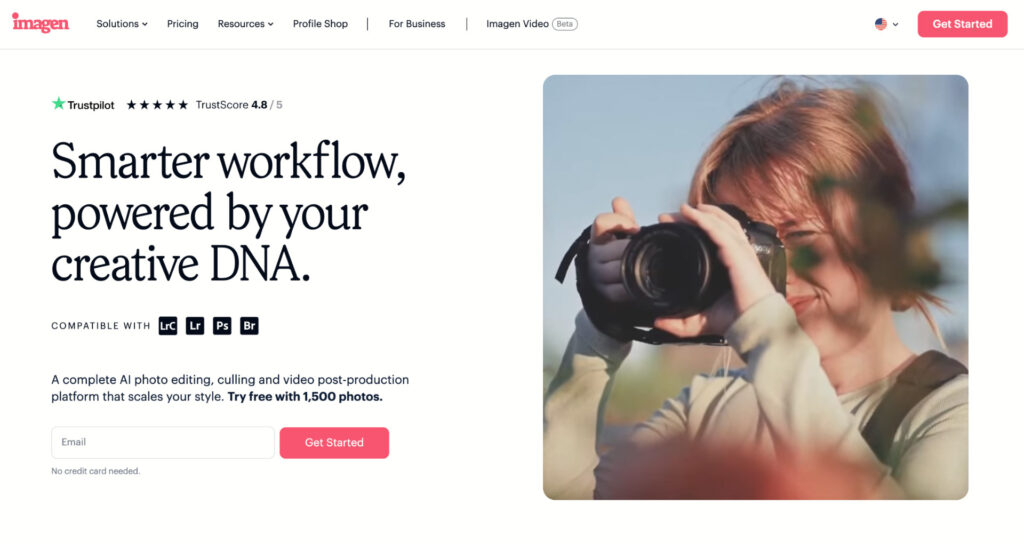
If you want the short answer, Imagen is the best overall AI photo editing software for professional workflows.
Definition
Imagen is an AI-powered editing assistant that learns your style from previously edited files and applies that style to new images.
Why It Matters
Most professional photographers want software that works like a trusted assistant, not a generic filter engine. Imagen is designed specifically to reduce editing time while preserving a photographer’s personal look.
How It Works
You upload a large sample of your edited images, and Imagen studies patterns in your decisions. It then applies those tendencies to future shoots, adjusting for image-specific factors like lighting, contrast, exposure, and composition.
Real-World Example
In testing, I was able to deliver a portrait session to a client within 24 hours, instead of waiting a full business week.
Nuance
Imagen is especially useful if you want your edits to remain consistent across batches while still avoiding the repetitive work of manually adjusting every frame.
Comparison: Best AI Photo Editing Software for Professional Workflows
| Feature | Imagen AI | Lightroom CC | Aperty |
|---|---|---|---|
| Best Price | $0.04 per edited image (72,000 images per year) | $119.88 annual plan | $259 perpetual licence |
| Learning Curve | Very easy | Moderate | Easy |
| Learns Your Dynamic Editing Style | Yes | No, presets only | No, presets only |
| Editing Speed | ⭐⭐⭐⭐⭐ | ⭐⭐⭐ | ⭐⭐⭐ |
| AI Image Culling | Yes | Yes | No |
| AI Masking | Yes | Yes | Yes |
| AI Noise Reduction | Yes | Yes | Yes |
| Free Trial | 14 days | 7 days | 14-day money back guarantee |
This table shows the main difference clearly:
- Imagen is the best option for personalized automation.
- Lightroom is the strongest all-rounder for cloud-based editing and masking.
- Aperty is the most focused choice for portrait retouching.
Imagen AI: The Best Overall for Professional Workflows
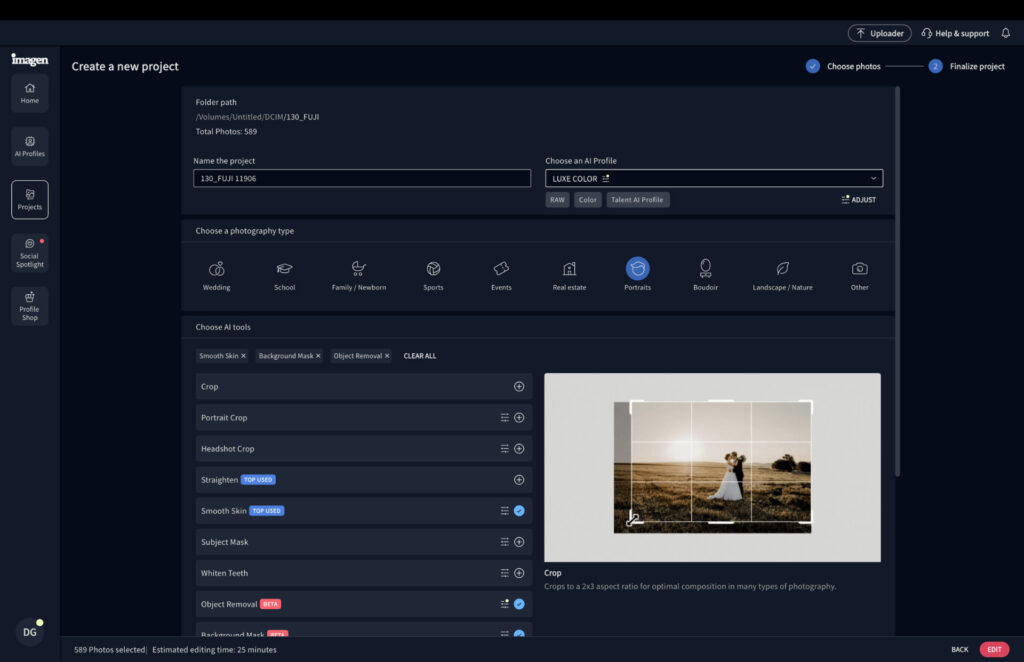
Imagen stands out because it is built around the needs of working photographers, not just casual users.
What Imagen AI Is
Founded in 2020, Imagen is an AI editing platform that acts like a personal editing assistant. Instead of applying the same look to every file, it learns from your past edits and tries to reproduce your style accurately.
Why It Matters
That difference is important. A preset gives you a static starting point. Imagen gives you a dynamic workflow tool that can respond to differences in exposure, lighting conditions, and scene complexity.
How to Use It
To get the best results, you upload approximately 2,000 previously edited images. Imagen studies those edits and builds a model of your style, then applies it to new sessions.
Real-World Scenario
For a wedding photographer working with thousands of images per event, that means much of the repetitive adjustment work can be handled automatically before you even begin fine-tuning.
Pro Tip
The more consistent your editing style is, the better Imagen can learn it. If your style changes radically from gallery to gallery, the AI will have more difficulty matching your preferences.
Imagen AI: My Real-World Experience
The biggest question with any AI editing platform is whether it actually saves meaningful time in practice. In Imagen’s case, the answer was yes.
Definition
Real-world workflow testing measures not just image quality, but the full path from upload to final edited result.
What I Found
Imagen edited 243 portrait photographs, including minor masking tasks, in around 16 minutes. By comparison, working through the same batch in Lightroom took much longer, and I was only 75% done after two hours.
Why That Matters
That kind of time difference can reshape a professional workflow. Instead of spending a large chunk of the day on repetitive corrections, you can move on to client communication, delivery, sales, or the next shoot.
Example
A photographer handling portrait sessions on back-to-back days could use Imagen to reduce post-production bottlenecks and deliver galleries faster.
Nuance
Speed alone is not enough. The real advantage came from the fact that the output still looked very close to my own manual editing style.
Edit Quality and Accuracy
The output quality was surprisingly strong.
Definition
High-quality AI editing means the final result matches the photographer’s intended style closely enough that only minor manual adjustments are needed.
What Happened in Testing
Comparing Imagen’s output against my own manual edits, the results were nearly identical. Contrast needed slight refinement, but color grading, exposure, and cropping were already in the right place.
Real-World Example
That means the AI is doing the heavy lifting while still leaving room for final judgment.
Pro Tip
The best use of Imagen is as a first-pass editor that gets you close to the finished result quickly. That keeps quality high while dramatically reducing the amount of work required.
Imagen’s Manual Adjustment Tools
One area where Imagen could improve is its manual control system.
What I Noticed
Instead of traditional sliders, you work with numerical values and need to refresh after each change.
Why It Matters
For photographers used to tactile, real-time slider adjustments, that can feel less fluid.
Nuance
This is not a dealbreaker, but smoother adjustment controls would make the editing experience even stronger.
Example
If you want to nudge contrast or exposure in small increments while comparing before-and-after results constantly, a more traditional interface would feel easier.
AI Culling in Imagen
Imagen also performs well as a culling tool.
Definition
Culling is the process of sorting through a shoot to identify the strongest frames and remove weak, duplicate, or technically flawed images.
Why It Matters
Culling is one of the most time-consuming parts of professional photography, especially for weddings and events.
What I Found
Across 600 images, Imagen’s selections were about 90% in line with my manual picks.
Example
Even if you still fine-tune the final set, the software can save 25 to 30 minutes or more during a session.
Pro Tip
Culling tools work best when they give you a strong starting point rather than forcing a fully automated final decision.
How Much Does Imagen AI Cost?
Imagen offers both pay-as-you-go and annual pricing.
- PAYG: $0.05 per edited image
- Yearly (18,000 images): $810
- Yearly (26,000 images): $1,530
- Yearly (72,000 images): $2,880
- Enterprise (100,000+ images): Contact the sales team
Why This Matters
This pricing structure is flexible enough for both smaller photographers and busy studios.
Example
A photographer who only edits a couple of sessions each month may prefer pay-as-you-go, while a studio processing high volumes would likely benefit from an annual plan.
Nuance
The real value is not just the price per image. It is the amount of time recovered across the year, which can translate into more bookings and better overall business efficiency.
Lightroom CC: Best for Multi-Device Editing Workflows
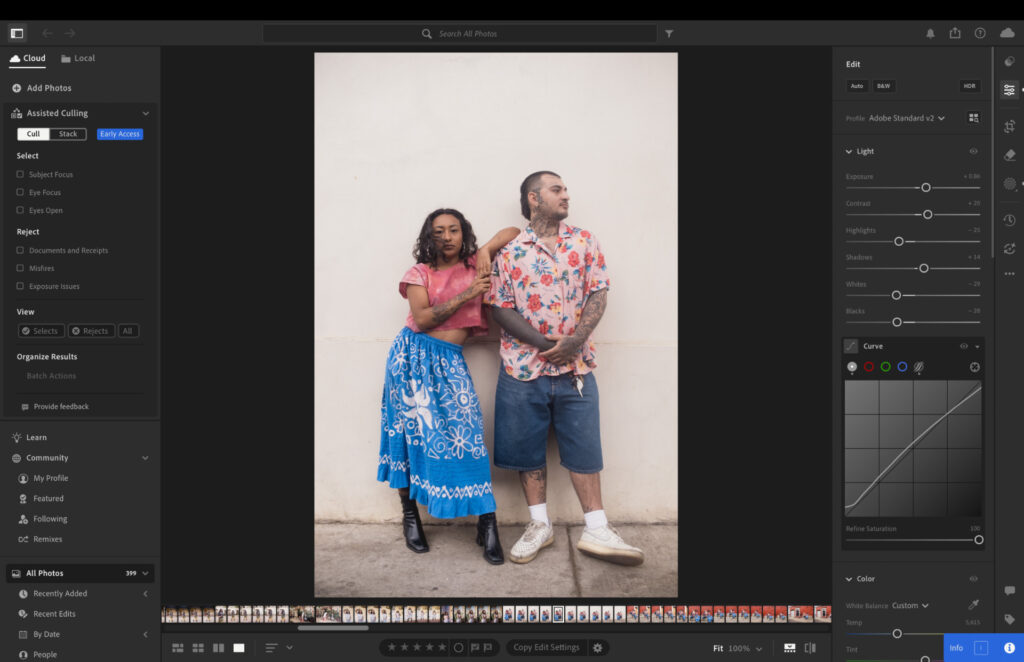
Lightroom has long been one of the most recognizable names in photo editing, and its AI features make it highly relevant for modern workflows.
What Lightroom Does Best
Lightroom is not trying to be Imagen. Its value lies in its familiar interface, strong editing ecosystem, and cloud-based flexibility.
Why It Matters
Many photographers work across multiple devices. Being able to move between laptop and tablet without losing progress can be extremely helpful in a busy workflow.
Key AI Features
Lightroom’s AI tools focus heavily on masking and object-based editing. These include:
- subject selection,
- background masking,
- sky masking,
- reflection removal,
- dust removal,
- and object removal.
Real-World Scenario
A photographer can make targeted adjustments without spending extra time building precise masks manually in Photoshop.
Pro Tip
Lightroom is ideal if you want a trusted editing environment with useful AI support, rather than a fully automated assistant that learns your style.
Lightroom: My Real-World Experience
Lightroom was the most familiar tool of the three and felt comfortable almost immediately.
Definition
A tool that works “straight out of the box” requires minimal explanation before it becomes useful.
Why It Matters
Professional tools should not slow you down with unnecessary complexity. Good software should make work easier from the first session.
What I Found
The interface is intuitive, and the AI tools come with clear explanations. That makes it easy to understand what each feature is doing, even if you are less experienced.
Example
Object removal was often impressive, even with larger items such as trees or cars.
Nuance
The software did occasionally misfire and replace an object instead of removing it cleanly, but those cases were relatively rare.
Lightroom AI Culling and Performance
Lightroom now includes AI-assisted culling features as well.
What It Does
It can help identify blurred images, duplicates, misfires, and shots with soft or closed eyes. It can also stack related images together.
Why It Matters
That makes it easier to manage large galleries without manually reviewing every single frame from scratch.
What I Found
The culling results were solid, but not as accurate as Imagen. My selections were only around 65% aligned with Lightroom’s choices.
Performance
The app remained responsive throughout long editing sessions, and export speed was excellent. Roughly 600 edited images exported in about 15 minutes.
Pro Tip
Lightroom is a strong choice if your editing workflow spans multiple devices and you value ecosystem stability over deep personalization.
How Much Does Lightroom Cost?
Lightroom is available only through subscription.
- Monthly 1TB Lightroom Subscription: $17.99
- Monthly 1TB Lightroom Subscription with 12-month commitment: $11.99
- Upfront Yearly 1TB Lightroom Subscription: $119.98
Why This Matters
There is no pay-as-you-go option and no perpetual license, so Lightroom may be less appealing if you want ownership-based software or tighter control over spending.
Example
The annual upfront plan is the best-value option if you know you will use Lightroom consistently.
Nuance
Because Lightroom is part of Adobe’s ecosystem, many photographers will view the subscription as a cost of staying connected to a broader creative workflow.
Aperty: Best for Portrait Photography
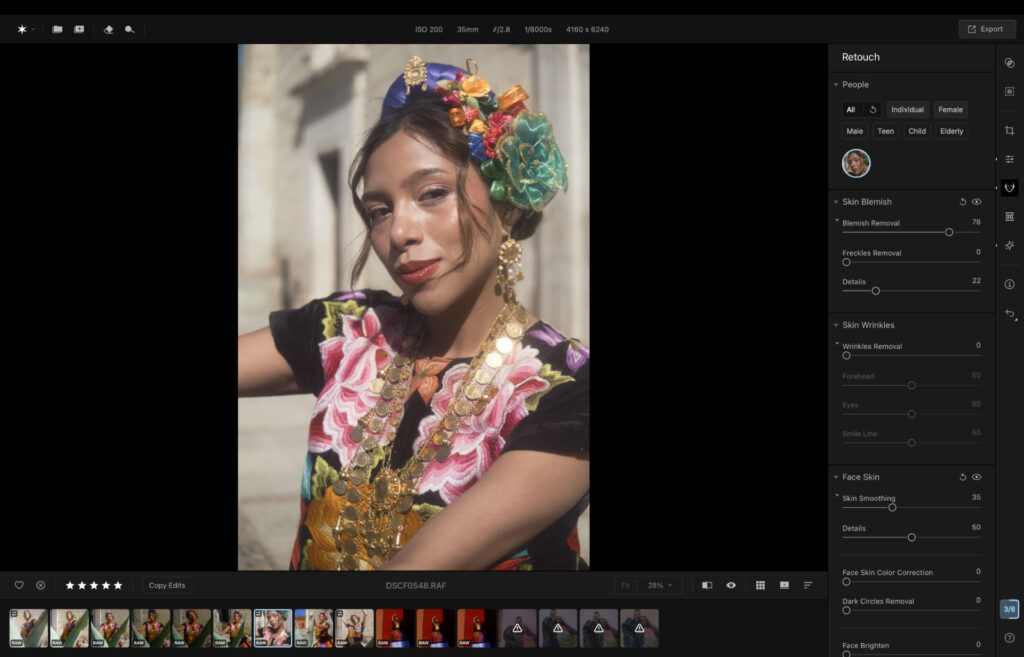
Aperty is especially appealing for portrait photographers who want automated retouching without sacrificing a natural look.
What Aperty Does Well
Aperty combines AI tools with a very approachable interface, mostly built around sliders rather than complex selections.
Why It Matters
Portrait retouching often needs to be subtle. The goal is usually to improve the image while keeping the subject looking real.
Key Features
Aperty includes:
- skin blemish removal,
- skin smoothing,
- lip enhancement,
- eye enhancement,
- and object removal.
Real-World Example
A portrait photographer can quickly clean up skin imperfections and refine facial details without manually retouching each blemish individually.
Pro Tip
Aperty is a good fit if you want portrait-specific enhancement tools that are easy to use and do not feel overly technical.
Aperty: My Real-World Experience
Aperty was easy to pick up and use right away.
Definition
Ease of use refers to how quickly a photographer can begin getting useful results without a steep learning curve.
Why It Matters
Time spent learning tools is time not spent delivering work or serving clients.
What I Found
The slider-based interface made it easy to fine-tune edits without feeling overwhelmed, and the skin retouching looked natural rather than overprocessed.
Example
For headshots or portrait sessions, Aperty can improve the image while still keeping the final result believable.
Nuance
This natural result is one of its biggest strengths, especially compared with portrait tools that can easily push skin too far into artificial territory.
Aperty’s Retouching and Organization Tools
Strength
The blemish removal tool is one of Aperty’s most useful features because it automatically clears imperfections instead of requiring detailed manual marking.
Limitation
Object removal is less consistent. It performs well in some cases, but not always.
Organization
Aperty includes basic rating tools, letting you assign one to five stars or mark favorites with a heart.
Gap
The lack of a search function is noticeable, especially if you are used to Lightroom’s smart search tools.
Pro Tip
Aperty is best for photographers who prioritize portrait cleanup over advanced catalog management.
How Much Does Aperty Cost?
Skylum offers three pricing options:
- Monthly: $24.99, first month $14.99
- Yearly: $219, first year $169
- Lifetime: $259
Why This Matters
The lifetime license is especially interesting because it includes ongoing software updates, which is rare for a perpetual purchase.
Example
For photographers who plan to use the software for several years, the lifetime option may offer the best long-term value.
Nuance
The 14-day money-back guarantee makes it easier to test whether Aperty fits your workflow without much risk.
Which AI Photo Editing Software Should You Choose?
The best choice depends on what kind of photography you do and how you prefer to work.
Choose Imagen AI if you:
- edit large volumes of images,
- want your own style learned and replicated,
- value speed and consistency,
- and need culling plus editing in one workflow.
Choose Lightroom CC if you:
- work across multiple devices,
- want a familiar editing environment,
- need strong masking and removal tools,
- and prefer a cloud-connected ecosystem.
Choose Aperty if you:
- focus mostly on portraits,
- want natural-looking skin retouching,
- prefer slider-based control,
- and like the idea of a lifetime license.
Final Verdict
AI has become a genuine productivity tool for photographers, not just a trend. The right software can reduce repetitive work, speed up delivery, and help you spend more time on the parts of photography that actually grow your business.
Why Imagen Wins
Among the tools tested, Imagen is the best overall AI photo editing software for professional workflows because it combines:
- fast batch editing,
- strong style matching,
- useful AI culling,
- and reliable consistency.
Bottom Line
If you want the tool most likely to change your workflow in a meaningful way, Imagen is the place to start. Its 14-day free trial gives you a low-risk way to see how much time it can save.
Frequently Asked Questions
1. What is the best AI photo editing software for professional photographers?
For most professionals, Imagen AI is the best choice because it learns your editing style and applies it consistently across large batches.
2. Is Lightroom still relevant for AI photo editing in 2026?
Yes. Lightroom remains very relevant because of its AI masking, object removal, culling tools, and cloud-based workflow across devices.
3. Is Aperty only useful for portrait photographers?
Aperty is strongest for portrait work, especially skin retouching and facial enhancements, but it can still be useful in other editing contexts.
4. Does Imagen replace manual editing completely?
Not completely. It can handle most of the heavy lifting, but most photographers will still want to review and fine-tune the final result.
5. Which software is best for culling?
Imagen performed best for culling in this test because its choices were closest to manual selections.
6. Which option is best if I want a lifetime license?
Aperty offers a lifetime license, which can be the best long-term value if you plan to use it regularly.
7. Can AI editing help me deliver client work faster?
Yes. That is one of its biggest benefits. AI editing can reduce the time spent on repetitive adjustments, which can help you deliver galleries much faster.